
Workshop Manager
Web-based workshop management for New Zealand workshops: jobs, bookings, time capture on the phone, invoicing through Xero and payroll-ready hours, in one place.
Who it's for
Built for workshops that don't fit one mould
For workshops doing varied work, both in the workshop and on site: diesel, heavy machinery, marine, hydraulics and fleet servicing. Off-the-shelf systems tend to fit one kind of shop; WSManager is built for the mix.
What it does
Jobs and bookings
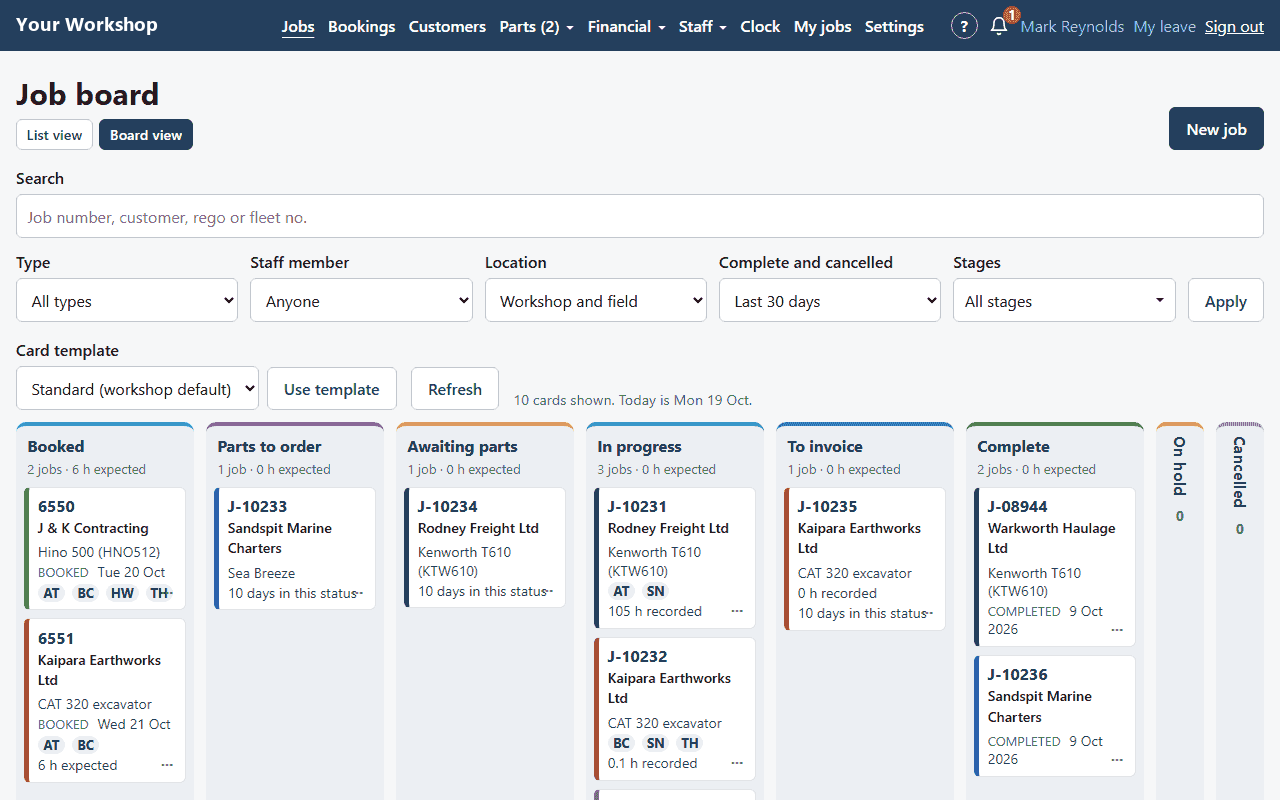
Job cards with checklists, a workshop job board you can see at a glance, a bookings diary, and field jobs for work out on site.
Time on the job
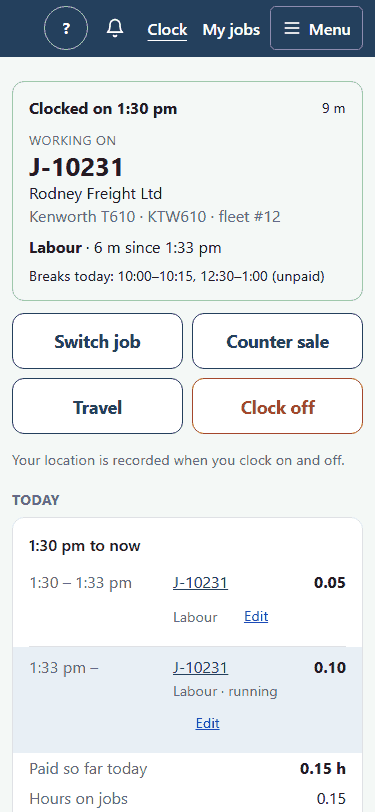
Staff clock on and off from their own phone or the workshop PC. Travel, call-outs and breaks are handled, so the hours on each job are the hours actually worked.
Timesheets and leave
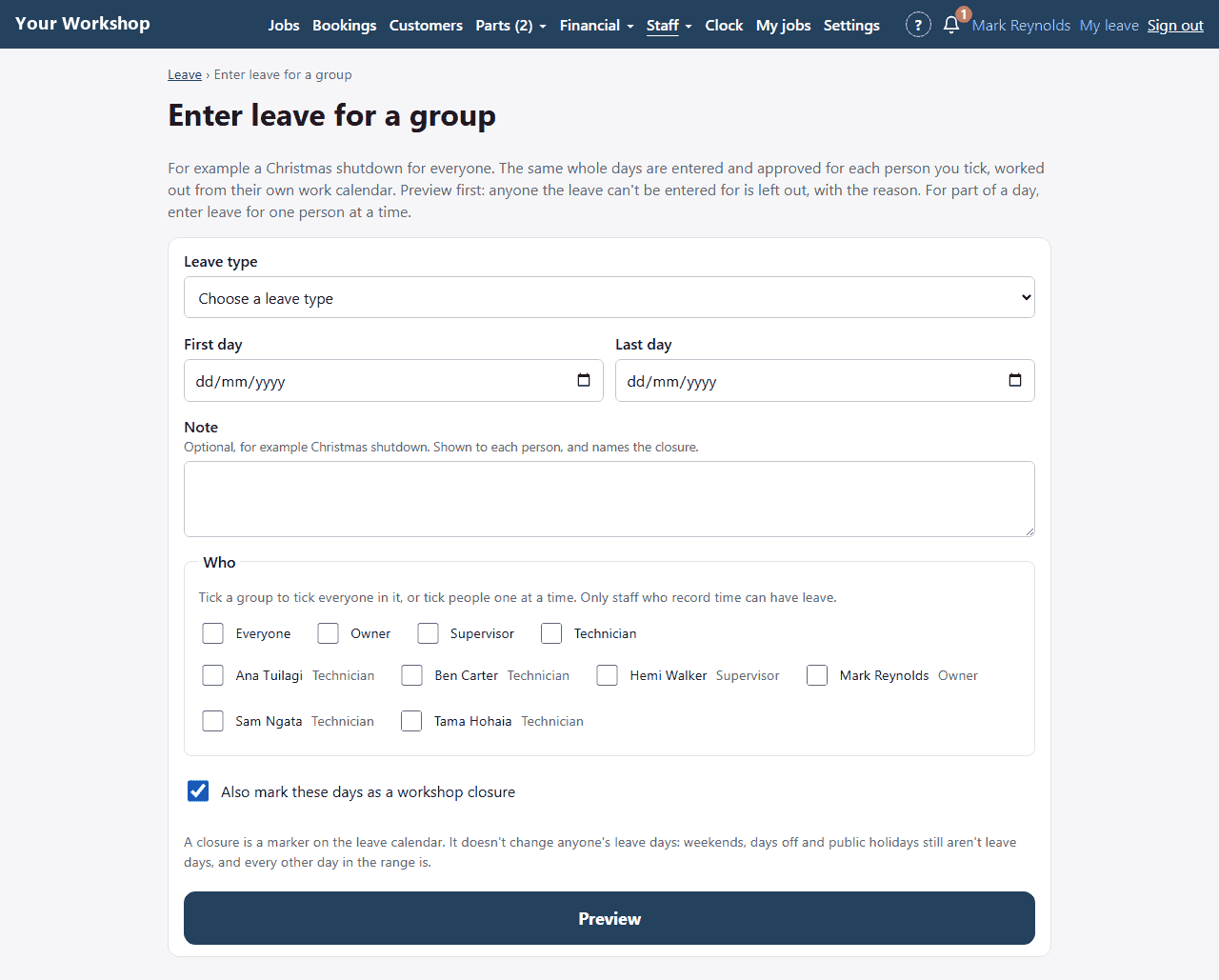
Approve timesheets, enter leave, and close the whole workshop for things like the Christmas shutdown in one go. New Zealand public holidays are built in.
Invoicing through Xero
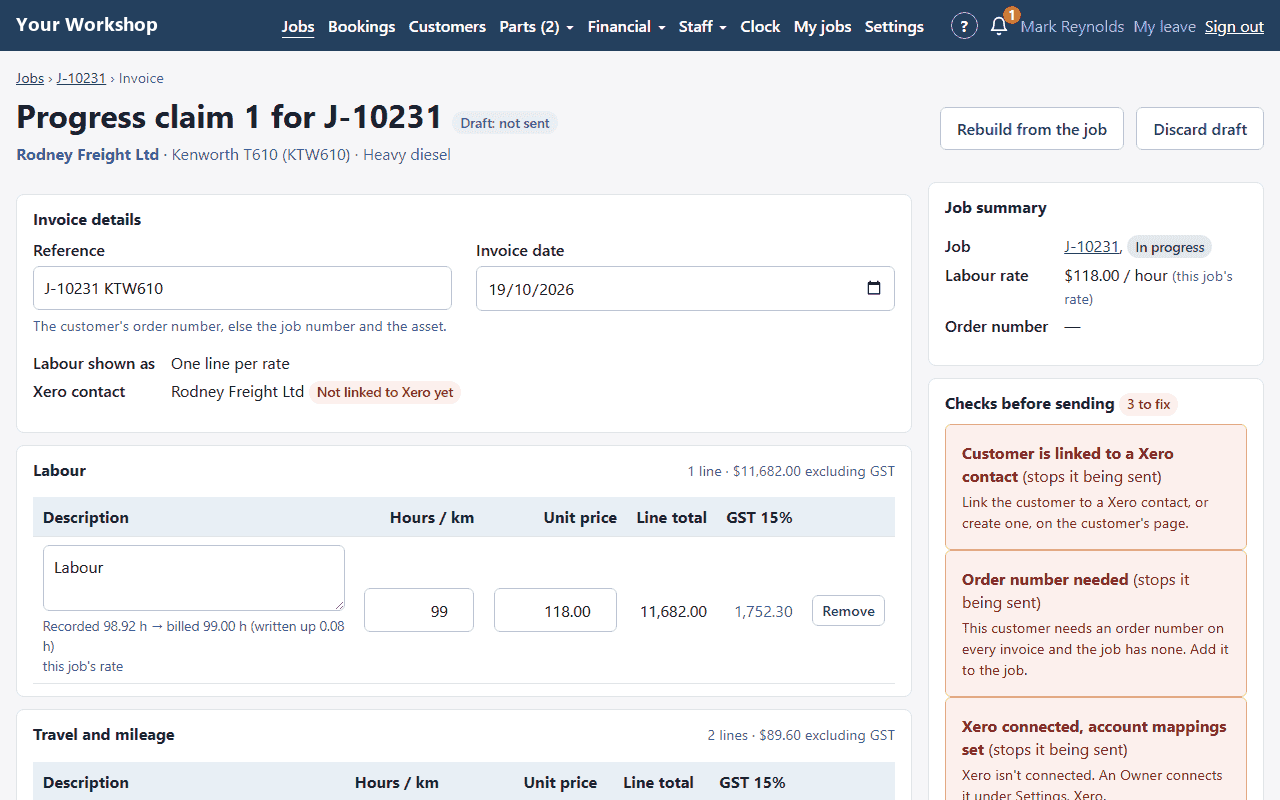
Invoices go to Xero, with customers and parts kept in step both ways. Job costing shows your margin on every invoice and warns you before a job goes out under it.
Payroll-ready hours
Approved hours and leave are exported ready for your payroll system. WSManager doesn't calculate pay; it makes sure the hours going into payroll are right.
Built for New Zealand
Hosted in Auckland
Runs on Microsoft Azure in Auckland, so your data stays in New Zealand.
GST and public holidays built in
NZ GST on every invoice and NZ public holidays in every timesheet and leave calculation.
Works on a phone
Staff use it on their own phone; the office uses it on any computer. Nothing to install.
Questions
What kinds of workshops is WSManager for?
Workshops doing varied work in the workshop and on site: diesel, heavy machinery, marine, hydraulics and fleet servicing. It's built for the mix, not one kind of shop.
Does WSManager work with Xero?
Yes. Invoices go to Xero, and customers and parts are kept in step both ways, so nothing is typed twice.
Can staff clock on from their phone?
Yes. Staff clock on and off from their own phone or the workshop PC, and travel, call-outs and breaks are handled. There's nothing to install; it runs in the browser.
Does WSManager run payroll?
No. It exports approved hours and leave, ready for your payroll system. Pay is calculated in your payroll software.
Where is my data stored?
In New Zealand. WSManager is hosted on Microsoft Azure in Auckland.
How much does WSManager cost?
Pricing depends on the size of your workshop. Register your interest and we'll talk it through with you.
Talk to us about WSManager for your workshop
We're working with New Zealand workshops now. Tell us how your workshop runs and we'll show you WSManager.
Register Your Interest